Independent volume per app
Chrome too loud over Spotify? Pull its slider down. Zoundry detects every app playing audio: Chrome, Safari, Spotify, Zoom, Discord. Each gets its own slider. No setup required.
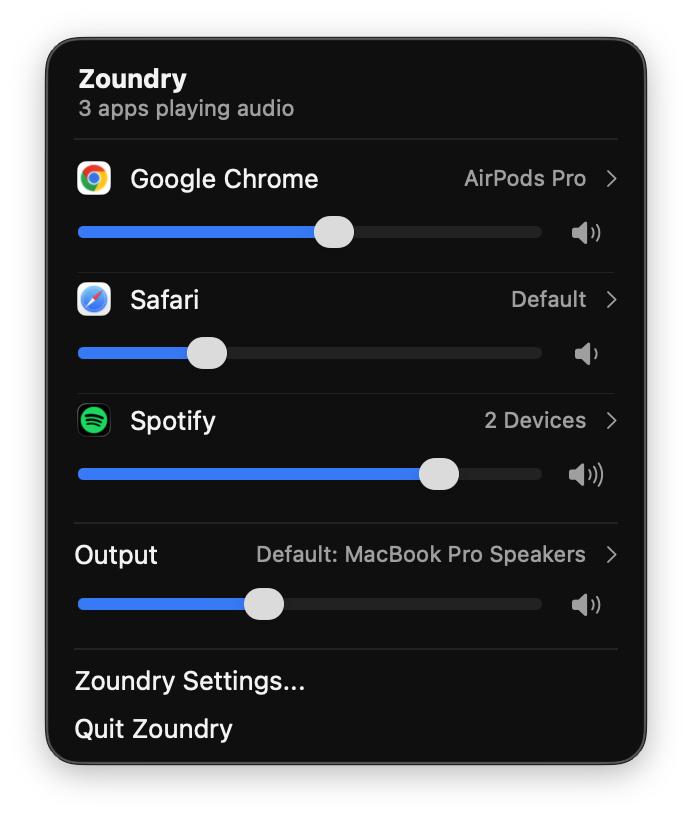
Per-app volume control and audio routing for Mac. Give every app its own slider and its own output(s), right from your menu bar.
$19.99 one-time · 7-day free trial
Works with every app that makes sound
Chrome, Safari, Spotify, Zoom, Discord, Teams, Slack, Apple Music, YouTube, FaceTime, Netflix, Firefox and any other app that plays sound.
At a glance
Zoundry is a per-app audio mixer for macOS. It gives every app its own volume slider, 3-band EQ and stereo balance, and lets you send each app to a different speaker or headphone at the same time. It lives in your menu bar, needs no account, and costs a one-time $19.99 after a 7-day free trial.
The problem
Apple's macOS lets you pick a single output device at a time. Switch to your AirPods and everything follows: your Zoom call, your Spotify playlist, your YouTube tab in Chrome. There's no native way to lower just one app, or send a single app to a different output.
Without Zoundry
With Zoundry
Zoundry is the per-application volume control for Mac that should have shipped with macOS.
Try it
This is a simulation. Drag a slider, tap an app's output to send it somewhere else, or pick a new default device. That's the whole idea.

Zoundry
3 apps playing audio


Simulation. Nothing here makes sound, the real app does.
Features
Chrome too loud over Spotify? Pull its slider down. Zoundry detects every app playing audio: Chrome, Safari, Spotify, Zoom, Discord. Each gets its own slider. No setup required.
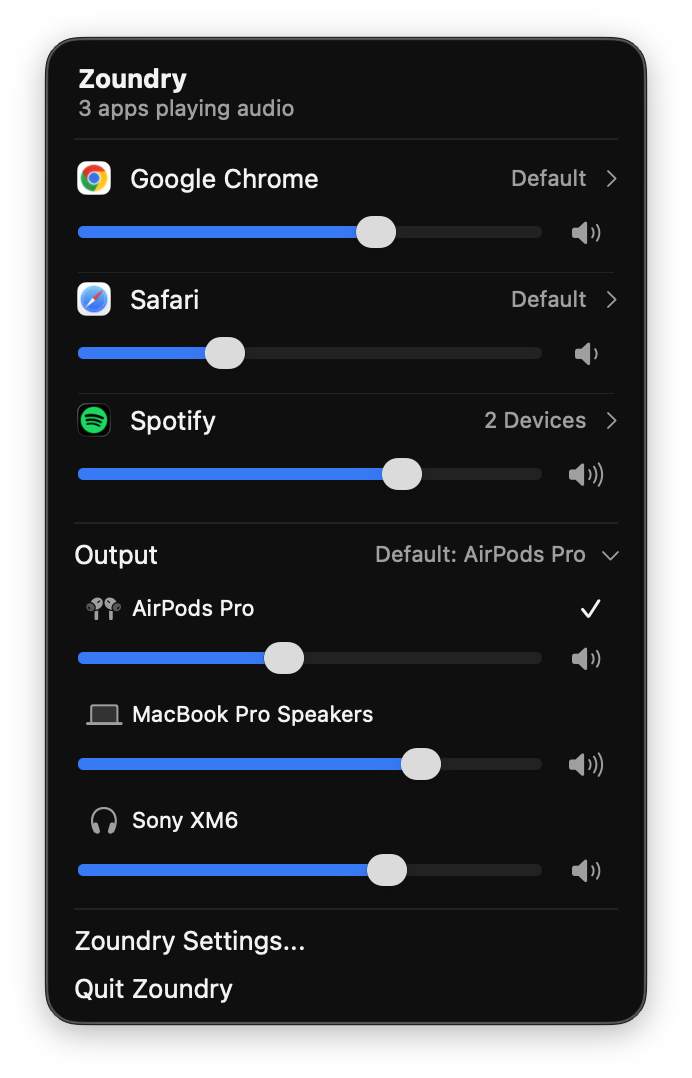
This is the feature macOS has never offered. Send Chrome to your AirPods Pro, Safari to your headphones, and Spotify to your MacBook speakers, all at the same time.
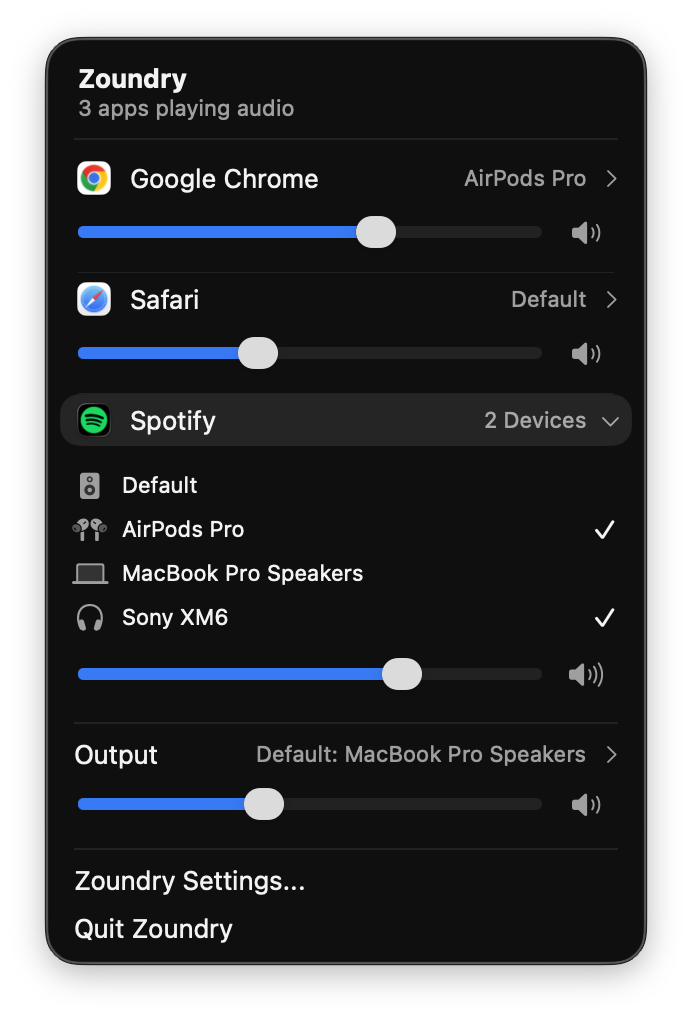
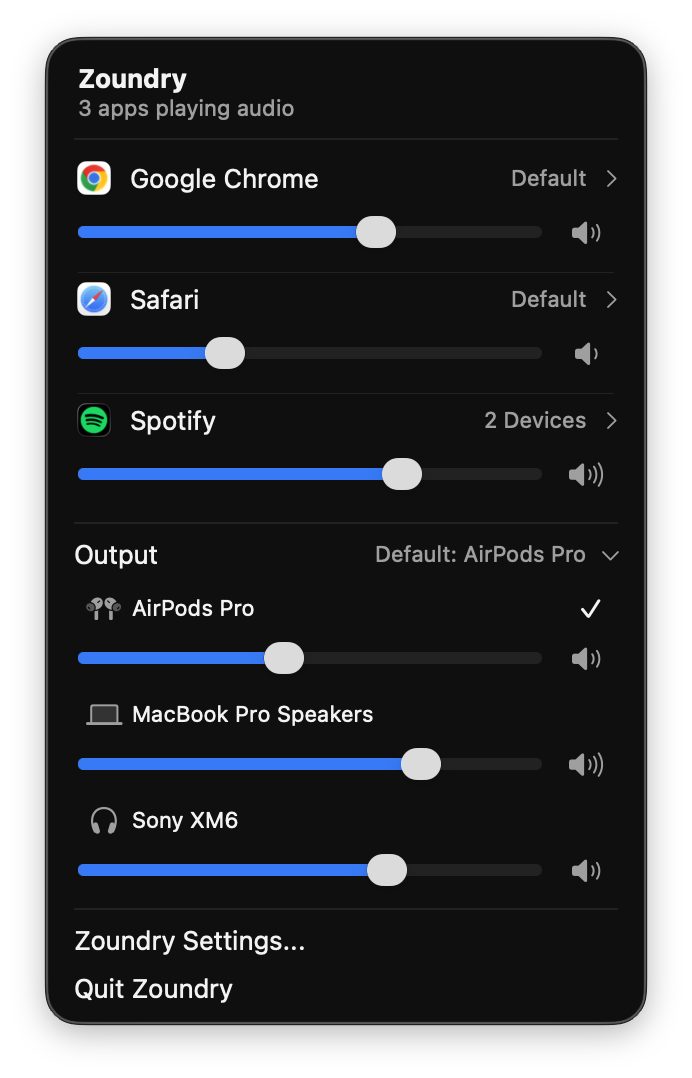
AirPods, MacBook speakers, Bluetooth headphones, USB-C headsets, external DACs: all in one panel. Switch your default output with a single click. Skip System Settings entirely.
Shape bass, mid, and treble for each app individually, and nudge its stereo balance left or right, with a snap back to center. Dial in Music without touching Zoom.
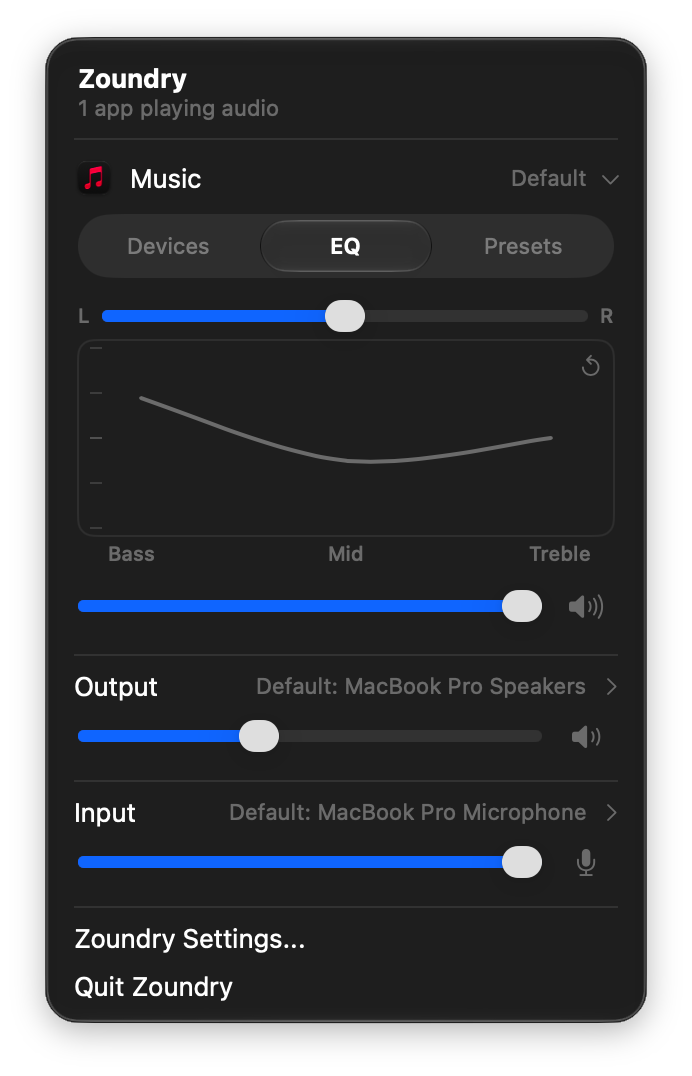
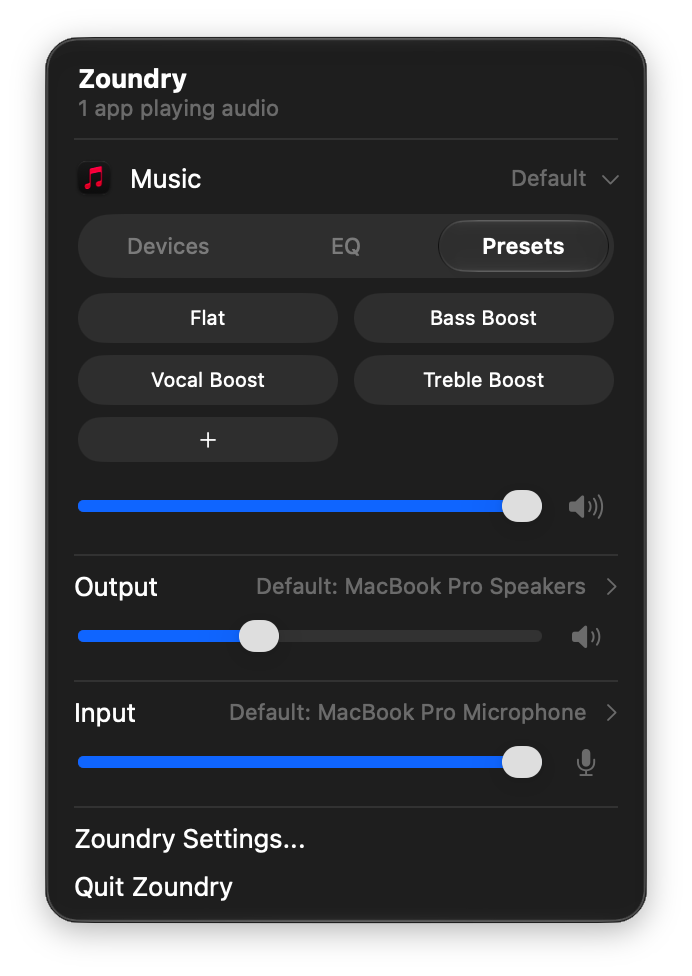
Save any EQ setup as a preset, like Bass Boost or Vocal Boost, then switch between them per app in one tap. Build your own from scratch, or start from the built-ins.
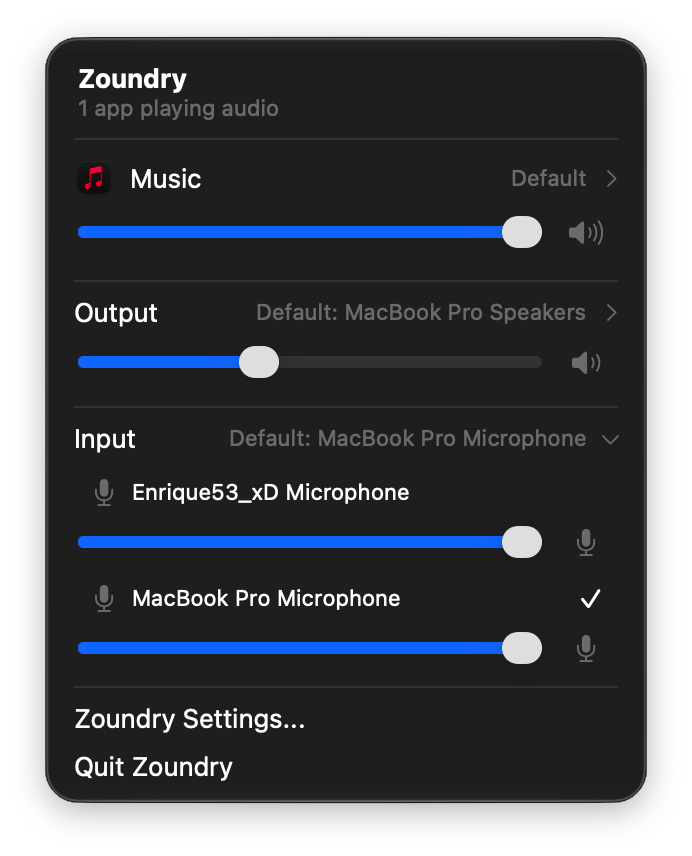
Built-in mic, USB interface, or a virtual input like a stream mixer: pick and adjust any of them from the same panel, no more digging through System Settings.
One click to open, one click to close. No dock icon. No floating windows. No distractions. Zoundry stays out of your way until you need it, right where a Mac utility should live.

Built natively for macOS Tahoe on Apple Silicon. Minimal CPU, minimal memory. Maximum control.
Set or check any app's volume from Siri, the Shortcuts app, Alfred, Raycast, or Terminal. No setup, no toggle, it just works.
See the Shortcuts & Scripting docsHow it works
No account, no sign-up. The app lives in your menu bar.
Zoundry detects every app playing audio in real time. No configuration.
Set volume per app, route each one to a different output. Done.
Who it's for
Remote workers on a call in one app while music plays quietly on a different device.
Content creators and editors who need reference audio on studio monitors and system alerts on headphones.
Multitaskers juggling browser tabs, Spotify, and video calls who just want one app quieter than the rest.
Anyone who has muted their entire Mac just to silence a single notification sound.
Power users and scripters who want to control volume from Siri, the Shortcuts app, Alfred, Raycast, or Terminal. See the Shortcuts & Scripting docs.
If you've ever wondered why macOS can't do this natively, Zoundry is for you.
Pricing
One-time purchase
Download the app to start your free 7-day trial. No card required. · No subscriptions · No app tracking.
Changelog
This app is brand new and evolving fast. I’m blending user feedback from our initial launch with my internal roadmap to reshape what's next. My goal is to ship feature improvements and updates frequently.
Initial public release. Active listening phase. Gathering feedback, squashing early bugs, and prioritizing the next batch of features.
FAQ
Zoundry is a per-app audio mixer for macOS that lets you set the volume of each app independently and route each one to a different audio output device. It lives in your menu bar and replaces the missing per-application audio controls in macOS.
macOS has one system volume and one output device at a time. Zoundry adds an independent volume slider for every app and lets you send each app to a different output device at the same time.
Yes. Route each app to its own output, for example Chrome to AirPods Pro, Safari to headphones and Spotify to your MacBook speakers, all at the same time. An app can even play to two devices at once.
Yes. Every app gets its own 3-band EQ (bass, mid, treble), an L/R stereo balance control, and saveable sound presets such as Bass Boost and Vocal Boost.
Yes. You can set or check any app's volume from Siri, the Shortcuts app, Alfred, Raycast, or Terminal. See the Shortcuts and Scripting docs at zoundrymixer.com/shortcuts for the full reference.
Yes. Zoundry includes a 7-day free trial built into the app. No account or credit card required to try it. After 7 days, a one-time purchase of $19.99 unlocks the full app.
Yes. Every purchase includes a 30-day money-back guarantee.
One license covers up to 2 devices.
Zoundry is built for macOS Tahoe on Apple Silicon. Older Macs and earlier macOS versions are not currently supported.
No. Zoundry is native, lightweight, and idle when you're not actively using it. CPU and memory usage are minimal.
It appears in Zoundry instantly and is ready to receive audio from any app.
Yes. Zoundry remembers your routing and volume preferences for each application.
No. The Zoundry app requires no account, collects no telemetry, and has no tracking of any kind. Our website uses Google Analytics only if you accept it.
Still have questions? Email us, we're happy to help.
Take control of every app, every audio device, every sound.
Download Zoundry for macOS7-day free trial · One-time purchase · Free updates · Built for macOS Tahoe